If your business is not showing on Google Maps, the cause is almost always one of five things: your Google Business Profile is not verified, it has been suspended, it breaks one of Google’s rules (like a keyword-stuffed name or a virtual office address), it is set up with the wrong category or service area, or closer and better-known competitors are outranking you. Each one has a different fix.
The good news is that you can work out which one it is in about two minutes. Below I’ll show you the quick test, a table that matches what you’re seeing to the likely cause, and exactly how to fix each problem without making it worse. (The most common way people make it worse? Creating a brand-new profile. Please don’t.)
Key takeaways
- Search your exact business name in Google Maps first. If you appear for your name but not for your service, you have a ranking problem, not a missing listing.
- An unverified, suspended or duplicate profile can disappear completely. Google says verification reviews take up to 5 business days.
- Never create a second profile to “start again”. Google tells owners not to, and it can make a suspension harder to fix.
- Service-area businesses (plumbers, cleaners, mobile trades) should hide their home address and set up to 20 service areas instead.
- In a dense city like London, distance and prominence matter a lot. Reviews, a complete profile and a website that backs it up are how you compete.
Why is my business not showing on Google Maps?
Your business is not showing on Google Maps because Google either cannot show it (the profile is unverified, suspended or breaks a guideline) or chooses not to rank it for that search (it looks less relevant, further away or less prominent than other businesses). Google confirms that local results are based mainly on relevance, distance and prominence.
These are the nine causes I see most often, roughly in the order I’d check them:
- The profile is not verified (or verification is still under review).
- The profile has been suspended or disabled.
- The profile breaks a guideline: a keyword-stuffed name, a PO box, a virtual office or a duplicate listing.
- You are a service-area business with your address set up the wrong way.
- You recently moved or changed your business name and need to verify again.
- Your primary category does not match what people search for.
- The profile is incomplete or out of date.
- Competitors are closer to the searcher and better known.
- Your website does not back up your profile.
How do I check why my business is not on Google Maps?
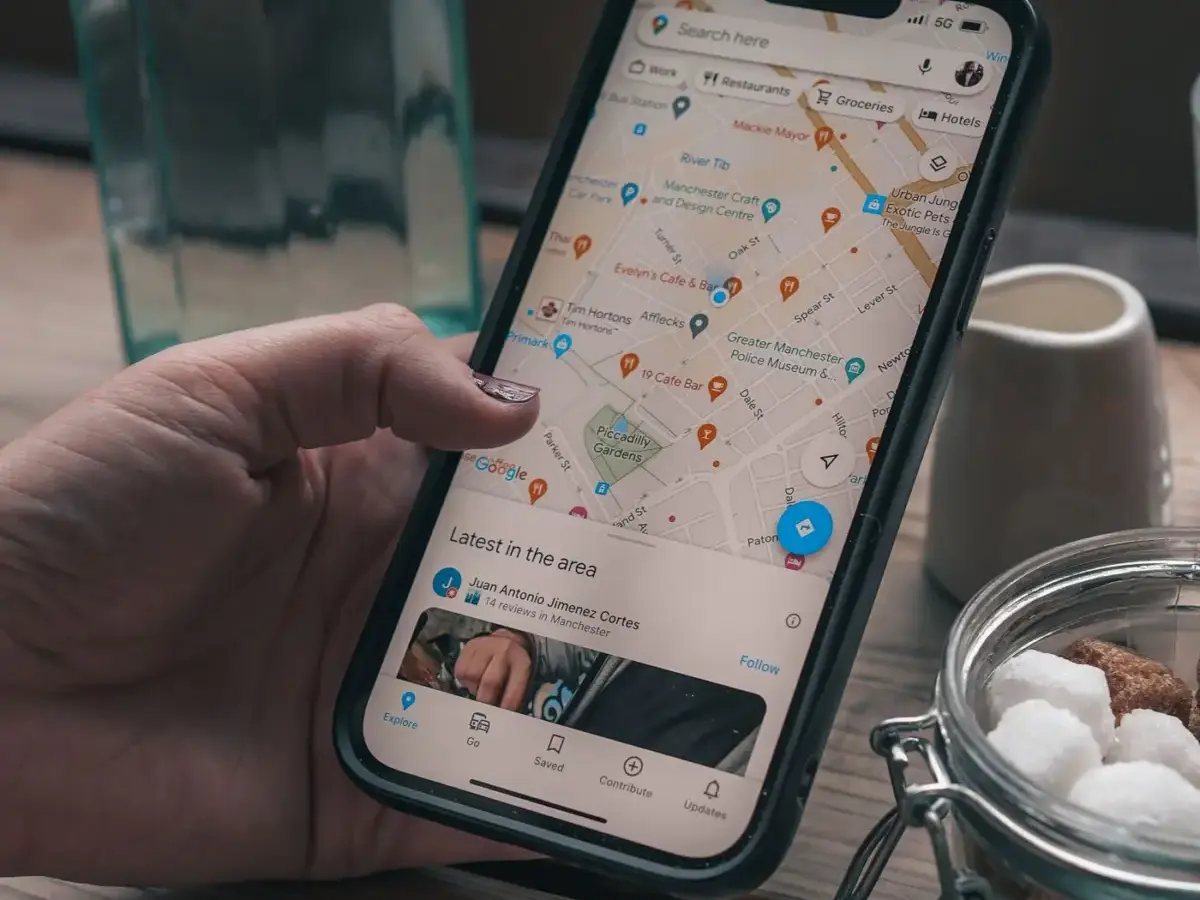
Run a quick two-minute test: search your exact business name in the Google Maps app, then search your main service plus your area, then open your profile while signed in to see if Google shows any warning. The combination of results tells you which problem you have.
This is exactly what I check first when I take on a monthly SEO client, because the fix for a missing listing is completely different from the fix for a listing that simply ranks low.
- Search your exact name in the Google Maps app on your phone, with location turned on.
- Search your service and area, for example “electrician Clapham”. Scroll past the first few results.
- Sign in to the Google account that manages the profile and search your business name on Google. Look for any message about verification, suspension or edits under review.
- Check for duplicates: search your phone number and old business names in Maps to see if another listing exists.
Which problem do you have? A quick diagnosis table
Match what you saw in the test above to the most likely cause:
| What you see | Most likely cause | First thing to do |
|---|---|---|
| Nothing appears, even for your exact name | Not verified, suspended or removed | Sign in and check the profile status |
| Google shows a “suspended” or restricted notice | A guideline problem | Fix the issue, then appeal (do not create a new profile) |
| You appear for your name, not for your service | Ranking: relevance, distance or prominence | Check your category, reviews and website |
| You appear near your base, but not across your area | Distance, or service areas set up badly | Review service areas and build local prominence |
| Two listings for your business, or one with old details | Duplicate or out-of-date listing | Keep one profile and remove or merge the other |
| You disappeared right after an edit | Edit under review, or a change that needs re-verification | Check the edit status and verify again if asked |
Is your Google Business Profile verified?
If your Google Business Profile is not verified, it may not show on Google Maps at all, and you cannot edit it. Google says verifying tells it you are authorised to represent the business, so it is more likely to show up in search results.
Google chooses the verification method for you: phone or text, email, a live video call or a postcard, and you cannot pick a different one. Google also says verification reviews take up to 5 business days, and occasionally longer. If you are within that window, wait before changing anything else.
If you are offered a video call, have proof ready before you start: your signage, your van or equipment, and something with your business name on it.
Has your Business Profile been suspended?
A suspended profile disappears from Google Maps, and the only fix is to correct the problem and appeal. Google says it may suspend or disable profiles that don’t follow its guidelines, and it is clear: do not create a new Business Profile for the same business.
To appeal, use Google’s appeals tool while signed in to the account that manages the profile. You can only submit an appeal once, so fix the issue first. Google suggests evidence such as an official business registration, a business licence, tax certificates or utility bills, and the name and address on them should match your profile. For a UK limited company, your Companies House registration is an obvious place to start.
Does your profile break Google’s guidelines?
The most common rule breaks are a business name with extra keywords, an address you don’t actually operate from, and more than one profile for the same business. Google’s Business Profile guidelines say any of these can lead to suspension or removal.
- Name: use your real-world business name. “Smith Plumbing” is fine; “Smith Plumbing Emergency Plumber London 24/7” is not. Google says unnecessary information in the name could get the profile suspended.
- Address: Google says PO boxes and remote mailboxes aren’t acceptable, and a rented address where you don’t operate isn’t eligible. That rules out most virtual offices.
- Duplicates: Google says there should only be one profile per business. If an old listing exists from a previous owner or an old agency, claim it and remove it rather than running two.
Are you a service-area business with your address set up wrong?
If customers don’t visit you, you should hide your address and list the areas you serve instead. Google says that if you don’t serve customers at your business address, you should remove your address from your profile.
Google lets you set up to 20 service areas (cities, postcodes or other areas), and says the overall area shouldn’t be more than about 2 hours of driving time from where you are based. For a London trade, that means listing the boroughs or postcode areas you really cover, not “the whole of the UK”.

Did you recently move or change your business name?
Moving or renaming can mean you have to verify your business all over again. Google says that if you move to a new address after verifying, you must verify again, and that changing your business name might also need re-verification. Google also reviews edits before they go live.
My advice: make one change at a time, and don’t keep re-editing the profile while an edit is under review.
Is your primary category the right one?
Your primary category tells Google what you are, so the wrong one can hide you from the searches you care about. If you are an “Electrician” but chose “Contractor”, you are telling Google you are less relevant for “electrician near me”.
Pick the most specific primary category that matches your main service, then add a few accurate secondary ones. A quick way to sense-check it: look at which categories the businesses already showing in the map results are using.
Is your profile incomplete?
An incomplete profile is less likely to show. Google says businesses with complete and accurate info are more likely to show up in local search results.
Fill in everything: hours (including holiday hours), phone, website, services, a clear description and real photos. My Google Business Profile checklist walks through every field and a simple monthly routine.
Are competitors outranking you on Google Maps?
Very often your business is on Google Maps, but closer or better-known competitors are shown first. Distance is one of Google’s three main factors, and prominence covers how well known you are, including reviews. Google says more reviews and positive ratings can help your local ranking, and that there is no way to request or pay for a better local ranking.
This is where London is tough. Search “accountant” in SW4 and there may be dozens of firms within a mile. You won’t beat distance for someone standing next to a competitor’s office, but you can win relevance and prominence across the streets around you: a steady flow of genuine reviews, replies to every review, regular photos and posts, and mentions on local sites.

Not sure which of these is holding you back?
This is the part most business owners get stuck on, because the profile looks fine and the business still doesn’t show. Working out whether it’s your category, your reviews, your website or simply strong competition is exactly what I do every month for local SEO clients. Book a free consultation and I’ll tell you what I’d fix first.
Is your website letting your profile down?
A weak website can hold your Google Maps ranking back. Google ranks local results on relevance, and in my experience the website linked from your profile is a big part of the evidence for what you do. If your profile says “emergency plumber” but your website has one vague homepage, Google has less to go on.
When I build a site for a local business, I set it up to back up the Business Profile from day one: a page for each main service, the areas covered mentioned naturally, and the same name, address and phone number as the profile. My guide to local SEO explains how the website and the profile work together.
Why does my business show on Google but not on Google Maps?
If you show up when someone searches your exact name but not in the map results for your service, your profile exists and Google is simply ranking other businesses higher for that search. That is a relevance, distance and prominence problem, not a missing listing, so the fixes are your category, reviews, profile completeness and website rather than verification or appeals.
How long does it take for a business to show on Google Maps?
Once verification is complete, Google says its review can take up to 5 business days, occasionally longer. Edits are also reviewed before they go live. Ranking for competitive service searches is slower: it builds over months as you gather reviews and improve relevance, especially in busy areas of London.
What I would do first: my 30-minute checklist
If your business disappeared from Google Maps today, this is the order I’d work in:
- Sign in and read any message Google shows on the profile. It often tells you the problem outright.
- If it says suspended, stop editing. Read the guidelines, fix the issue, gather documents and appeal once.
- If verification is pending, wait out the 5 business days before changing anything.
- Search your phone number in Maps to find duplicates.
- Check the business name has no extra keywords and the address is one you really operate from (or hidden if you’re a service-area business).
- Confirm the primary category matches your main service.
- Fill in any empty fields and add a few recent photos.
- Ask your last five happy customers for a review.
- Make sure your website has a page for each main service, with the same name, address and phone number as the profile.
Frequently asked questions
How do I know if my Google Business Profile is suspended?
Sign in to the Google account that manages it and open Google’s appeals tool. It lists any decision on your profile, with the date, the reason and whether you can appeal.
Should I create a new Google Business Profile if mine disappeared?
No. Google says not to create a new Business Profile for the same business. A second profile counts as a duplicate and can make the original problem harder to fix.
Can I appear on Google Maps without a shop or office?
Yes. If you visit or deliver to customers, you can be a service-area business. Hide your address and set up to 20 service areas instead.
Can I pay Google to rank higher on Google Maps?
No. Google says there is no way to request or pay for a better local ranking. Map positions are earned through relevance, distance and prominence.
Why is my business only showing when I search the exact name?
Your profile exists, but Google is ranking other businesses higher for service searches. Improving your category, reviews, profile completeness and website relevance is how you move up.
Get your business back on the map
If your business is not showing on Google Maps, start with the two-minute test: it tells you whether you’re dealing with a missing listing (verification, suspension, guidelines) or a ranking problem (category, reviews, distance, website). Missing listings are usually fixed with patience and paperwork. Ranking problems are fixed with steady, consistent work.
If you’d rather have someone find the cause and get you showing up when local customers search, that’s what I do. Book a free consultation, or call or WhatsApp me on 07404 145722, and I’ll look at your listing with you. More calls and enquiries from people nearby is the goal.